In order to add an affiliate via the admin panel, you can perform the following steps:
1: You'll want to sign in to your /admin/ area within your site.
2: On the top of the page, click affiliates.
3: On the top of the screen, click "Add Affiliate"
4: On this page, you'll want to go ahead and add fill out information for this user.
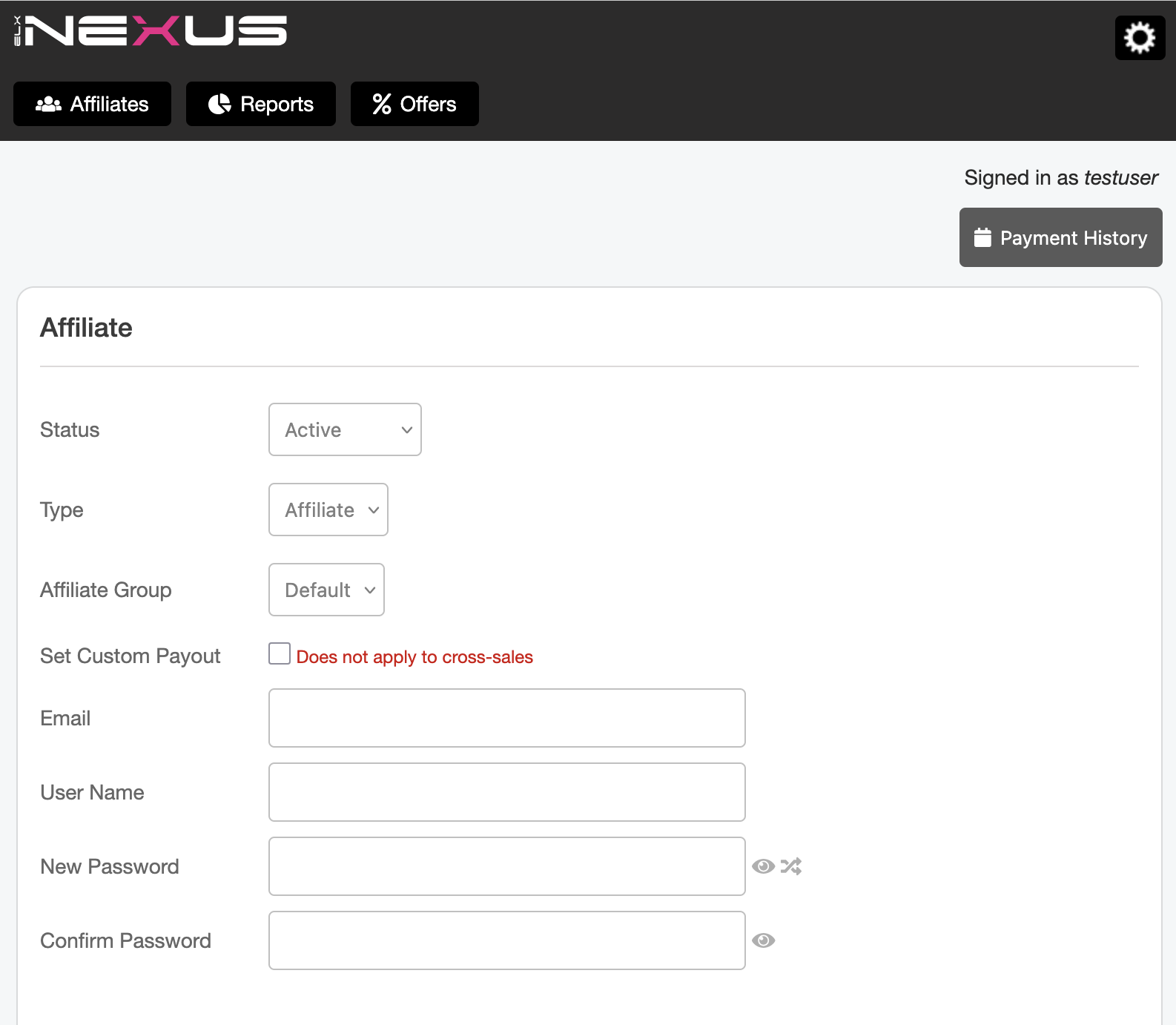
Some fields of note:
Status: Determines whether or not the user is active, pending or terminated
Type: Determines if the user created is an affiliate, or a partner who gets a percentage of all sales
Affiliate Group: If a user belongs to an affiliate group, they'll be eligible for specific percentage deals that other affiliates are not
Set Custom Payout: If you wish to override what an affiliate is entitled to percentage wise, you can do this here.
You'll also want to fill out address information for this user as well.
5: After this is done, you should be able to add the user to the system. If they are set to active, this user can then sign into the /affiliate/ area and create campaigns.